
Modern offices rely heavily on technology, but power and data are often considered after the furniture has already been selected.
Computers, monitors, phones, chargers, printers and video conferencing equipment all need power and connectivity. If these requirements aren't considered during the planning stage, the result can be extension leads, exposed cables and workstations positioned where they don't really belong. Planning your furniture and technology together can create a much cleaner and more functional workplace.
Start With Your Power Points
Before deciding where desks and workstations will go, identify the existing power and data points throughout the office.Consider where employees will need to connect:
- Computers
- Monitors
- Laptop chargers
- Phones
- Printers
- Docking stations
- Other workplace equipment
This can influence where workstations should be positioned and whether additional electrical work may be required.
Think About Workstation Clusters
Back-to-back and pod-style workstations can be an efficient way to organise larger teams. They also allow multiple employees to share centralised access to power and data rather than running cables to individual desks scattered throughout the room.
For larger office layouts, this can make cable management considerably easier.
Build Cable Management Into the Furniture
Cable management shouldn't be an afterthought.
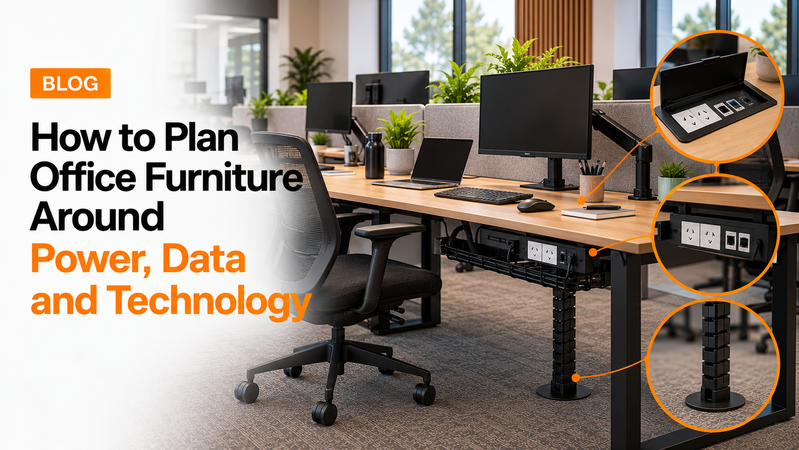
Cable trays, cable access ports and under-desk power solutions can help keep cords away from the floor and reduce clutter around workstations. This becomes particularly important when several monitors and devices are being used at each desk.
Don't Forget Height Adjustable Desks
Sit-stand desks introduce another consideration because the desktop moves.
Cables need enough length to move safely with the desk without becoming stretched or tangled. Power boards and cable management systems should therefore be planned around the full movement of the workstation.
Plan Meeting Rooms for Technology
Meeting rooms increasingly include screens, video conferencing systems and charging facilities.
If your boardroom table requires power, USB or data access, consider this before selecting the table and deciding where it will sit. Integrated power access can provide a much cleaner solution than running cables across the room.
Think About Future Technology
Your technology requirements will probably change over time.
Leaving some flexibility in your cable management and furniture layout can make it easier to add monitors, devices and additional workstations later.
Keep the Floor Clear
Where possible, cables shouldn't be running through walkways.
Apart from looking untidy, loose cables can interfere with how people move through the workplace. A properly planned workstation layout can help keep power and data close to where they're required.
Final Thoughts
Furniture, power and technology should be planned together.
Considering power points, data access, workstation positioning and cable management before furniture is installed can create a cleaner workplace and make future changes much easier.
Hunter Office Furniture offers workstations, desks, sit-stand desks and custom furniture configurations with cable management options for modern workplaces.